Stop spending hours on recipient payments
Modernize stipends, benefits, and reimbursements with greater accountability and less manual work. Issue Visa prepaid cards and bank transfers in bulk, automate recurring loads, and pull audit-ready reports from one dashboard.

The paperwork around a payment shouldn't cost more than the payment itself
Mailing and printing checks, buying and logging gift cards, reconciling spreadsheets, recipients calling your staff when something goes wrong.
Every one of those hours comes out of the program.
01.
Add recipients
Upload a CSV, sync from Salesforce, or let recipients enter their own details through GiveCard Intake.
02.
Send funds
Issue physical or virtual Visa prepaid cards, or send ACH, RTP, or FedNow transfers. One-time, scheduled, or recurring.
03.
Report
Spend and payment data syncs to QuickBooks or NetSuite, or exports to CSV, tagged by program, grant, or recipient.

Hours back, every payment cycle
Every hour spent on payment admin is an hour taken from the program.
No more one-at-a-time payments
Bulk imports handle thousands of cards and payments from one spreadsheet.
Recurring payments run themselves
Set a monthly stipend or benefit once with Autoloading, and it goes out on schedule.
No chasing bank details
Recipients enter and verify their own account information through GiveCard Intake.
Reconciliation without the manual re-input
Payment records sync to QuickBooks, NetSuite, or Salesforce, ready to book as journal entries.
Customer issues don't come to you
GiveCard's in-house team handles lost cards, disputes, and balance questions, seven days a week.
One system for every payout type
Recipients can take a virtual card, a physical card, or a bank transfer, all run from the same dashboard.

Your budget goes to recipients, not fees
Recipients receive 100 percent of the money you send. Pricing is a flat monthly software fee plus fulfillment, so there's nothing taken out of each payment along the way.
No inactivity fees, no cardholder penalties, no per-transaction costs
Virtual cards cost $0 to issue
Pull unspent funds back to your account at any time, instantly
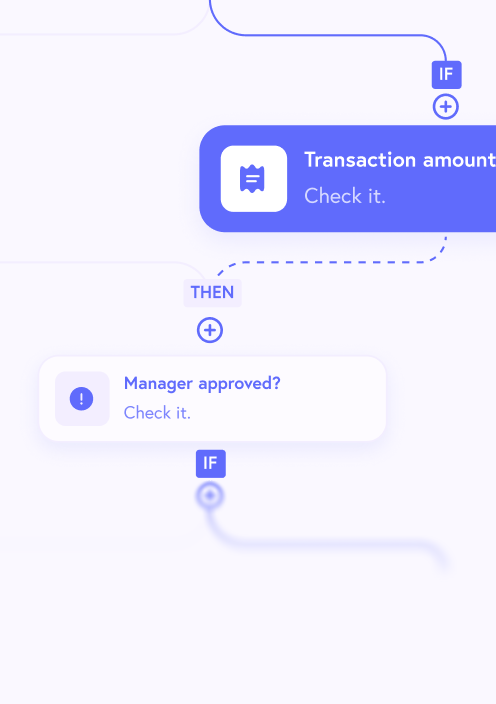
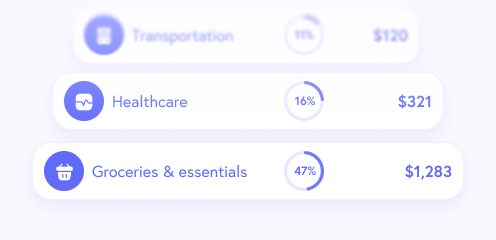
Spend rules keep funds going to approved categories, like groceries or utilities
Recipients don't need a bank account
Works anywhere in the US that takes Visa debit
Ready for your auditors and your funders
Control
Spend rules by merchant category, specific merchant, or item
Tag every card and transaction with program names, grant codes, or recipient IDs
Custom user roles and an activity log for staff access
24/7 fraud monitoring, with disputes handled end to end
Reporting
Real-time spend data in the dashboard
Audit-ready funding history and transaction reports
Exports by program, grant, or recipient
Cards issued by Sutton Bank, Member FDIC; funds FDIC insured up to the standard limit
How organizations are using GiveCard
A DC shelter runs multiple programs from one no-code dashboard
My Sister's Place orders cards in bulk, tags payments by program, automates recurring monthly payments, and pulls reports for audits and funders. It has distributed hundreds of thousands of dollars to survivors this way.
“Thanks to GiveCard, our guaranteed income program is running very smoothly. It makes things easier for our clients and for our staff.”
Saul Vasquez, Financial Empowerment Lead @ My Sister's Place DC
San Francisco got emergency grocery relief to 112,000 residents in days
When a federal shutdown disrupted SNAP, the city used GiveCard to issue about $20 million in emergency grocery relief. Cards were restricted to food and grocery stores, and 400+ eligibility workers were trained within 48 hours.
“We are so grateful for your partnership and hustle to make sure that no one in San Francisco is without food this month.”
Amanda Kahn Fried, Chief Assistant Treasurer @ City and County of San Francisco
GiveDirectly sent millions to LA wildfire survivors with minimal setup
Finance admins uploaded thousands of $3,500 payments by CSV in seconds, and recipients chose a virtual card, a physical card, or a bank transfer.
“Getting money to them was urgent; we didn't have the luxury to wait for full software integration. With minimal setup, GiveCard's technology allowed us to get cash out quickly and at scale.”
Laura Keen, Interim US Country Director @ GiveDirectly
Go live in days, with a team behind you

01.
Two to five days to launch
That's for the no-code dashboard. No IT project required.
02.
Easy to buy
Agencies can buy GiveCard directly, or through cooperative purchasing vehicles they may already hold, including NASPO ValuePoint and Carahsoft.
03.
A dedicated team
Personalized setup, a customer success team, and live monitoring once you're running.


For cardholders
24/7 support
In-house support
Available 24/7
Trauma informed practice
Multiple languages
Tailored onboarding
For customers
Dedicated team
Personalized setup
Customer success team
Implementation expertise
Feature requests
Live monitoring


Questions program teams ask us
How much does GiveCard cost?
A flat monthly software fee, set by the annual dollar volume of disbursements, plus fulfillment costs: $5 per physical card, $0 per virtual card, and about $0.75 per bank transfer. No inactivity fees, no cardholder penalties, no per-transaction costs.
Are there hidden fees?
No. Pricing is up front, and recipients receive 100 percent of the money you send them.
How long does it take to get up and running?
Two to five days for the no-code portal, and one to two weeks for a full API integration.
Can we restrict what the card can be used for?
Yes. GiveCard's Spend Rules work at three layers: merchant category code (MCC), specific merchant ID or merchant name, and item-level control that can allow or block specific items within a single purchase.
Can we pull money back off a card if a program changes or there is a mistake?
Yes. Funds can be pulled back from cards into your funding account instantly, at any time.
Can we track which card belongs to which program, grant, or person?
Yes. Program names, recipient IDs, grant codes, or any other identifiers can be attached to cards and to transaction events through GiveCard's custom fields.
Can recipients without a bank account use a GiveCard?
Yes, a recipient does not need to have a bank account to be able to receive and use a GiveCard.
How can a government agency procure GiveCard?
GiveCard is available through cooperative purchasing vehicles many agencies already hold, including NASPO ValuePoint and Carahsoft. Contact contact@givecard.io to learn how your agency can use GiveCard.
See what your program would look like on GiveCard
Tell us who you pay, how you pay them today, and roughly how much goes out each year. We'll show you the workflow and give you pricing for your program.
Colin or someone on the team will reply within one business day.
Already a GiveCard cardholder? Email support@givecard.io or call 908-529-0955, available 24/7.
Cards are issued by Sutton Bank, Member FDIC, pursuant to a license from Visa U.S.A. Inc.