
Spend Rules
Precision control over how and where funds are spent.
"The spend rules engine lets us set fine-tuned restrictions for each of our different programs, allowing us to block merchant types, create exceptions, and change things on the fly easily."

Roland Lau
Co-founder, Rynse
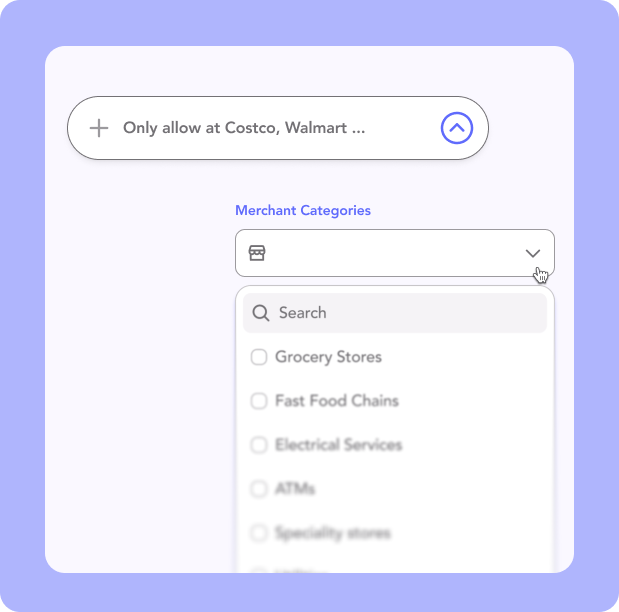
Control merchant access
Allow or block transactions by specific merchant category codes (MCCs), merchant IDs or merchant names. Restrict spending to only what aligns with your program’s intent.
Combine allow/block logic
Use a combination of allowlists and blocklists to design flexible rule sets—for example, allow grocery stores but block specific fast food chains.

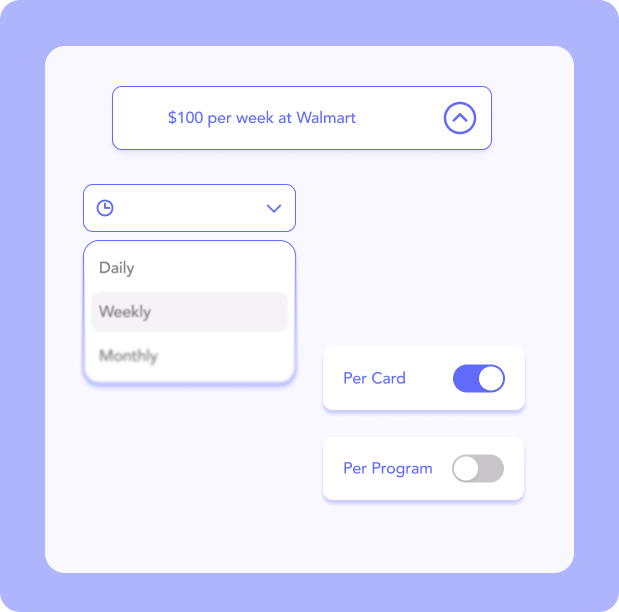
Velocity Rules
Set clear spending limits on cards by day, week, month, or even per transaction. Velocity Rules help you manage budgets, prevent misuse, and can get as granular as setting different limits for different merchant types


Frequently asked questions
Can we restrict what the card can be used for?
Yes. GiveCard's Spend Rules work at three layers: merchant category code (MCC), specific merchant ID or merchant name, and item-level control that can allow or block specific items within a single purchase.
How is GiveCard different from gift cards or rewards platforms?
GiveCards are more flexible and configurable than gift cards or rewards platforms. GiveCards are VISA cards that work anywhere, and can be reloaded remotely on-demand. They can similarly be restricted down to only work in certain categories (e.g., grocery or gas stations), or even created to be a gift card-like experience to a specific store if desired.
Where do GiveCards work?
GiveCard is a VISA-issued prepaid debit card, so it works anywhere in the US that takes Visa debit.